aCoder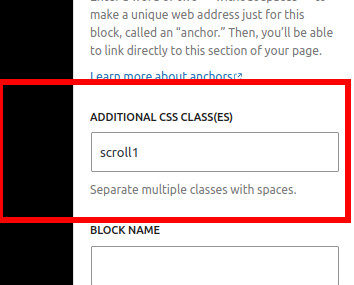
Code should be readable. Word wrapping can make code difficult to follow. WordPress comes packaged with a code block for pasting code – great, but sometimes, long lines get wrapped and the flow can be lost.
To make code blocks scrollable we can add a custom css class to the code block. To start with, select the following options from your WordPress admin;
Appearance -> Customize -> Additional CSS
Add the following code:
.scroll1 code {
  white-space: pre;
  overflow-x: scroll;
  overflow-y: scroll;
}
Next, when writing a Post or Page, add the code you want to the normal Code Block. Then, on the right hand side of the page select;
Block -> Advanced
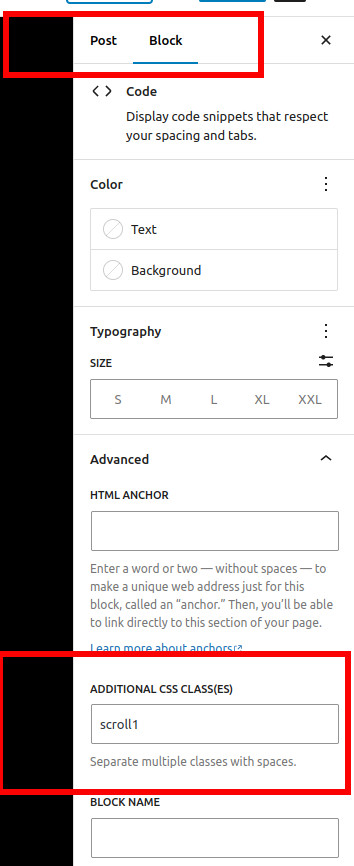
In the text box for your “Additional CSS Class(es)”, add your custom block “scroll1”.
When the mouse hovers over the block, the scroll bar appears and your code should now be scrollable like the code below below;
System.out.println("This is a really loooooonnnnnnnnnnnnnnnnnnnnnnnnnngggggggggggggggggg piece of code. And it gets even longggeeeeeeeeeeeeeeeeeeeeeeeeeeeeeeeerrrrrrrrrrrrrrrrrrrrrrrrrr! Even longeerrrrrrrrrrrrrrrrrrrrrrrrrrrrrrrrrrrrrrrrrrrrrrrrrrrrrrrrrrrrrrrrrrrrrrrrrrrrrrrrrrrrrrrrrrrr");

System.exit(1);